






Insurance & claims platforms
Triage the claim before a human opens the photos.
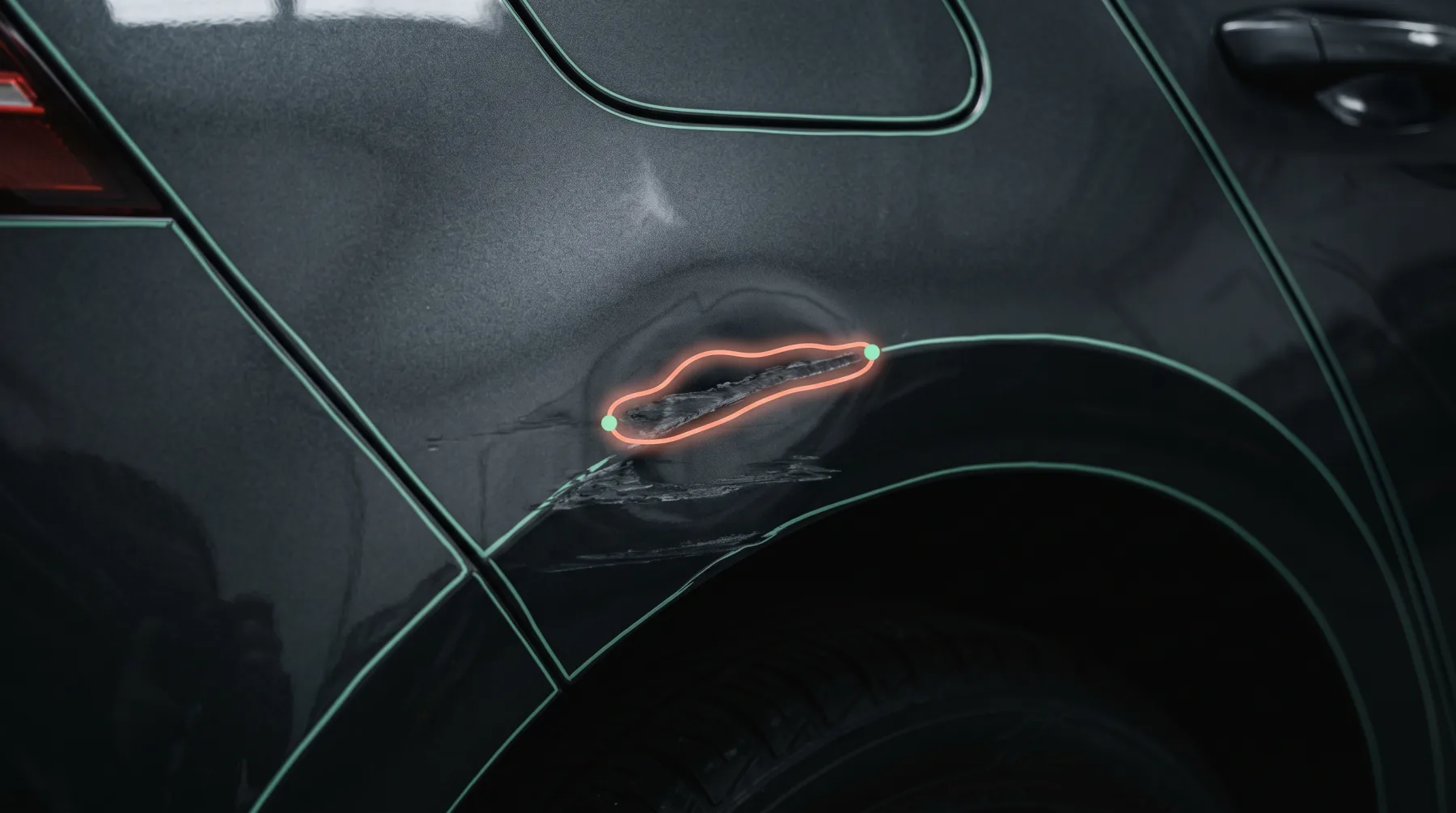
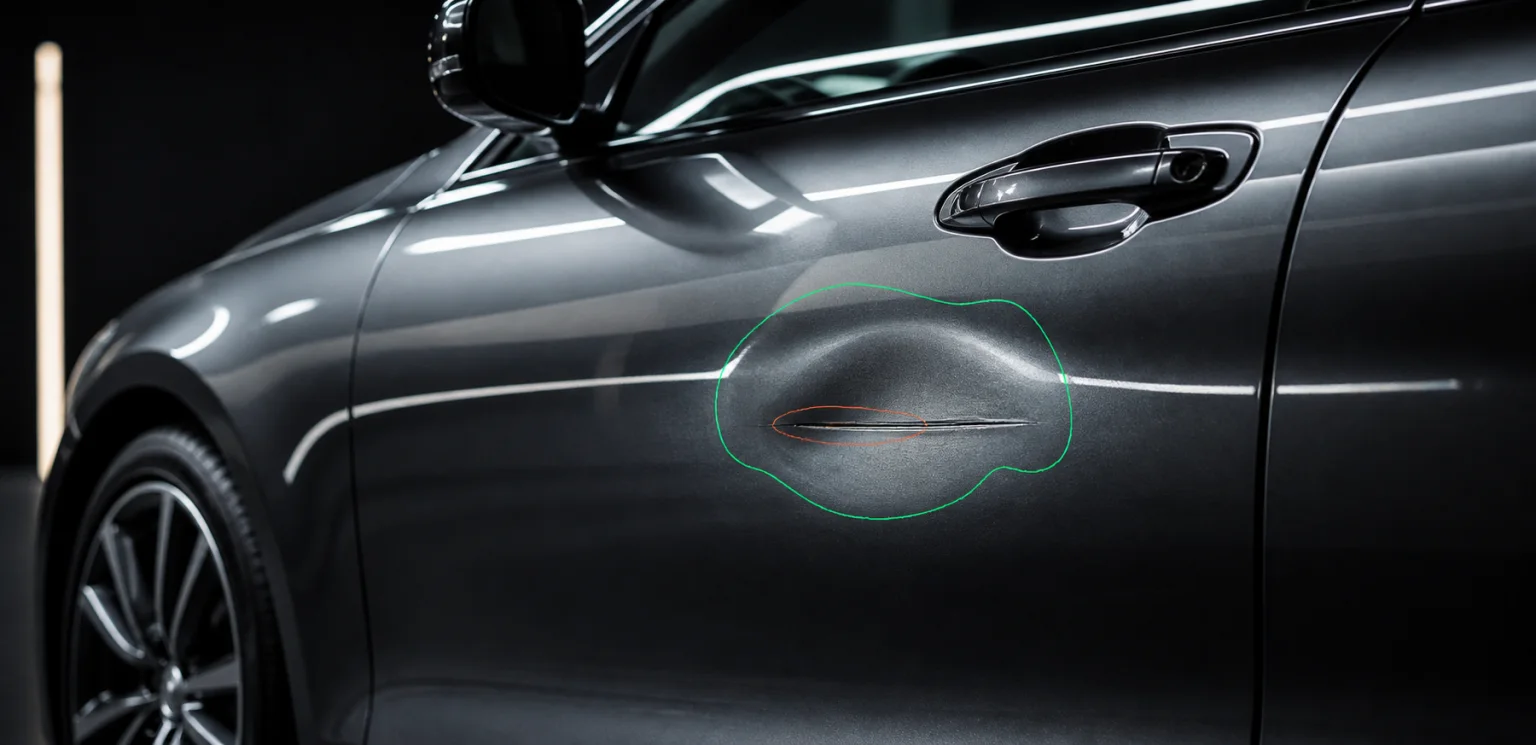
Damage located, typed, graded and priced from the customer’s own photos — with a review UI for the cases your rules send to a person.
Insurers, MGAs, claims platforms and the assessors working inside them
Today
A policyholder sends eight photos. An assessor opens them one at a time to decide whether this is a bumper scuff or a total loss.
What changes
- A claim that arrives pre-sorted: fast-track, assessor, or physical inspection.
- Every figure traceable to a masked detection on a named part — defensible in an arbitration.
- Human-in-the-loop by default: the review and correction UI is a Layer 1 component, not a roadmap item.
Where it starts
One endpoint, before you commit to anything.
One endpoint, one image, a set of typed masks. You can run it against last month’s closed claims and compare it to what the assessors decided before anything reaches production.
the first call
per image
POST/v1/damage/detect
model: damage-detection
async by default · webhook or poll · independently rate-limited
The chain
The flow that first call sits in.
Each row is a real endpoint, priced and rate-limited on its own. Call one, call the set, or let /v1/inspections chain them for you.
- 01Presigned upload
Layer 1 component
The policyholder uploads from their phone — presigned, scoped to the claim, content-type enforced
- 02POST/v1/damage/detect
damage-detection · per image
Scratches, dents, cracks, rust and paint defects, masked and typed
- 03POST/v1/parts/segment
parts-segmentation · per image
Panel-level masks, so a detection belongs to a named bumper rather than to a region of a JPEG
- 04POST/v1/damage/severity
severity-estimation · per detection
Each detection graded cosmetic through structural — the input your fast-track rule reads
- 05POST/v1/pricing/repair
reparation-pricing · per vehicle
Labour, paint and part class against your own rate card, per detected damage
- 06Review SDK
Layer 1 component
The referred cases open in a human-in-the-loop screen instead of an inbox
- 07Job status / webhook
Layer 1 component
One async status contract for the whole chain, plus webhook push
Across the stack
What this path draws on, layer by layer.
Layer 1 · Components
all →- Review SDK
- Human-in-the-loop validation and correction of model output
- Player SDK
- Embeddable 360° inspection viewer — drops into your own site against a tokenised report URL
- Report SDK
- Composed condition report, customer-branded, web or export
Layer 3 · Data
all →- History
- Mileage records, ownership, accidents, write-off status
- Risk
- Stolen and outstanding-finance checks
- Value
- Market pricing, residuals, depreciation curves
- Parts
- OEM references and catalogues — feeds pricing/repair
Where it goes
Then the same key closes the file
Triage is where the hours are. Once the detections are trusted, the surrounding decisions are already reachable through the same integration.
Total-loss calls
car-pricing puts a market value beside the repair estimate, so the write-off threshold is computed rather than argued
Prior damage and fraud
plate-reader into Layer 3 history — mileage records, previous accidents, write-off status
Video FNOL
video-onboarding takes a walkaround instead of a photo set, and indexes it by position
Recovery checks
Stolen and outstanding-finance lookups sit in the same key as the models
What we do not claim
Severity is a grade, not a decision. The models report what was seen and how bad it is; the rule that fast-tracks, refers or rejects a claim stays yours, in your system, auditable by you.
Other paths
Same key, different first call.
Marketplaces & DMS
Classifieds, marketplaces, dealer groups and the DMS vendors behind them
Listing photos come from whoever was holding the phone. Six sellers, six driveways, six exposures — one inconsistent results page.
See the path →Dealerships & dealer groups
Franchised and independent dealers, dealer groups and used-vehicle operations
Fresh inventory waits for photography, appraisal and data entry before it can appear online — and every rooftop presents it differently.
See the path →Rental & vehicle sharing
Rental desks, car-sharing operators and anyone handing over keys at volume
The customer says the scratch was already there. The agent says it wasn’t. Nobody photographed that panel at check-out.
See the path →Auctions & logistics
Auction houses, remarketers, transporters and the yards in between
A car changes hands four times between the yard and the buyer, and the only condition record is a paper sheet somebody filled in at dusk.
See the path →Start with /v1/damage/detect
One call, on your own data, before anything in your product changes.